
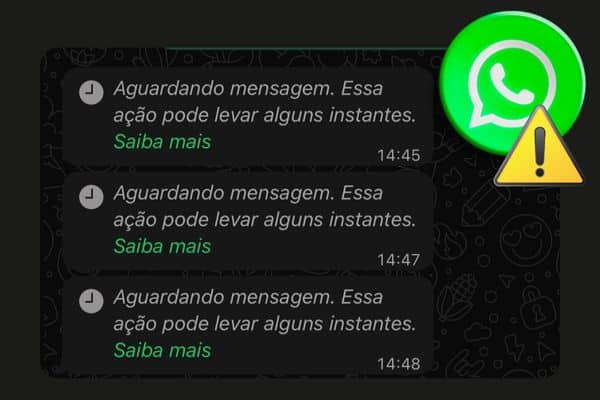
If you have encountered the message “Waiting for message. This action may take a moment.” while using WhatsApp, understand that this notification does not indicate a critical failure but rather a normal behavior in certain situations.
What Does This Message Mean?
This alert appears when WhatsApp is still decrypting the received message or when there is a delay in synchronization between the app and the integration via API. Check out our content on nexloo. Also, check our content on nexloo.
Why Does This Happen?
There are a few common reasons for this behavior:
- Unstable internet connection (on your mobile phone or computer);
- Multiple active connections of WhatsApp Web causing conflicts;
- Expired session or interruption after technical updates;
- Accumulated connection cache on the mobile device;
- Temporary instability in the WhatsApp API.
For more technical information, you can also refer to the official article from WhatsApp’s help center: “Why did I receive the message ‘Waiting for message. This action may take a moment.’?”
What to Do When This Happens?
If the message persists for more than a few minutes, we recommend following this simple step-by-step guide within the Nexloo platform:
Step-by-step to Resolve:
- Disconnect WhatsApp from the platform
Access the Nexloo platform and click the “Restart” button. This will end the current session and prepare the environment for a new connection. - Clear active connections on your mobile phone
On your device, open WhatsApp, go to Linked Devices, and remove all listed connections. This helps avoid conflicts between old sessions. - Reconnect by scanning the QR Code
Still on the Nexloo platform, scan the QR Code again with your mobile phone to re-establish the connection.
In Summary
This message is a temporary alert and common in integrations with WhatsApp. By following the steps above, you ensure the safe restoration of your session in Nexloo and can continue to send and receive messages normally.
If the issue persists even after this process, please contact our technical support. We are ready to assist you!
Let’s sell and serve better together? Our team is committed to resolving this issue as quickly as possible and will keep you informed of any updates.


