
Search
-
First Steps
-
Features
-
Channel Integration
-
Official WhatsApp
-
CRM
-
Message Trigger
-
Creating Chatbots
-
AI Agent
- Articles coming soon
-
Metrics
Table of Contents
< All Topics
Print
Register Your Users
Step 1: Go to Settings > Agent in your Nexloo account.
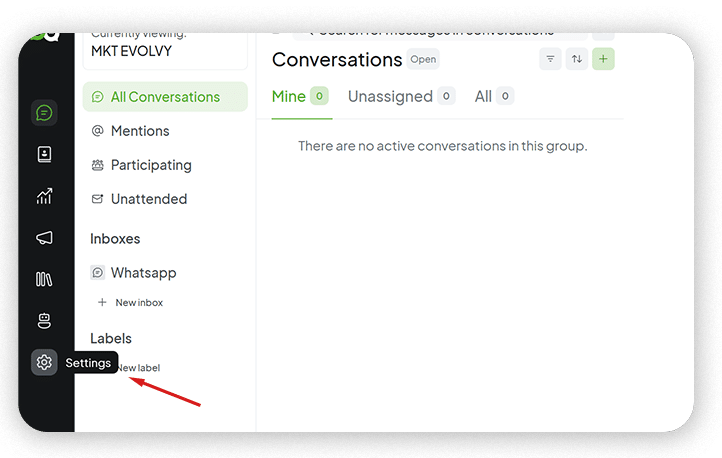
Step 2: Click the “Add AGENT” button.

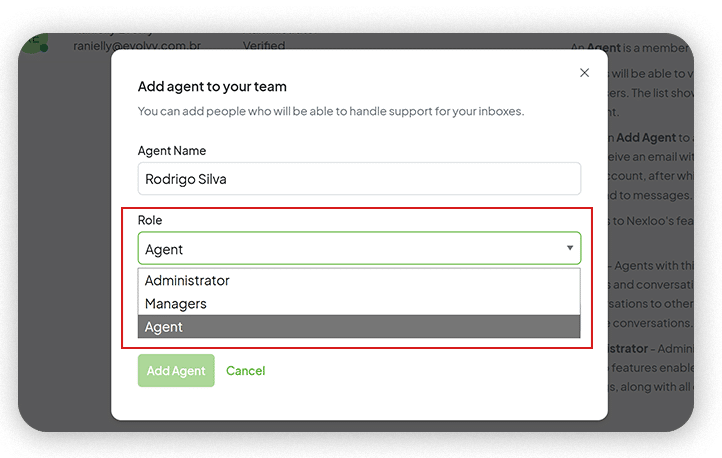
Step 3: Enter the collaborator’s name, select the “AGENT TYPE”

Select the “AGENT TYPE” (Administrator, Manager or Agent)
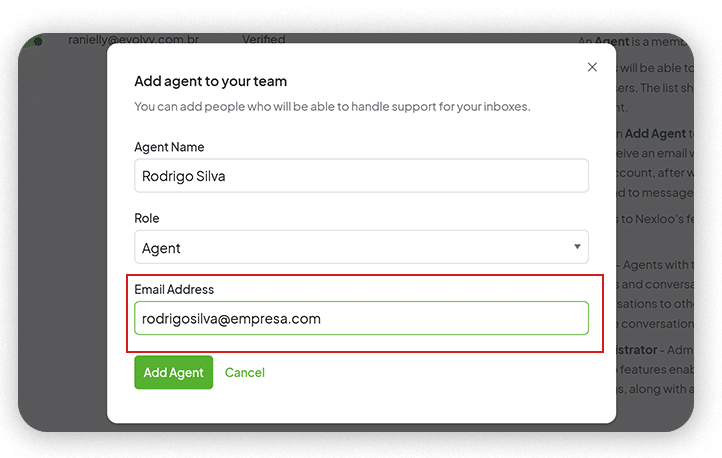
Add the collaborator’s email address and click “Add Agent .” The collaborator will receive an invitation to access the platform in their inbox.
Step 4: The collaborator must accept the invitation and follow the procedure “Activate your registration and create your password.”
Done! Now you just need to repeat this process for all your users.